
Most businesses don't notice poor CRM data entry until a decision stalls. A sales manager asks how many deals will close this month, and three people give three different answers. A marketer plans a campaign and finds that a third of the contacts have no email address. A founder wants to know which customers are at risk and learns that nobody has logged a call in eight weeks.
In each case the CRM holds the answer, but nobody trusts it. CRM data entry and CRM updates look like routine administration, yet they decide whether your customer relationship management system is a working tool or an expensive filing cabinet, and whether your team can make faster business decisions with confidence.
This guide explains the link between clean CRM data and fast decisions. You'll see what bad data costs, what clean data looks like, and how to build CRM data hygiene habits that keep records accurate without burying your team in admin.
What Is CRM Data Entry, and How Does It Connect to Decision-Making?
CRM data entry is the process of recording customer and prospect information in your CRM: contact details, company information, conversation notes, deal stages, purchase history and follow-up tasks. CRM updates are the ongoing changes that keep those records current, such as a new job title, a changed phone number, a deal moving from proposal to negotiation, or a customer closing their account.
The two work as a pair. Data entry creates the record, and updates keep it true. A CRM full of well-entered records that nobody updates slowly becomes fiction, and a CRM that is updated often but entered inconsistently becomes hard to search and impossible to report on.
The Chain From Entry to Decision
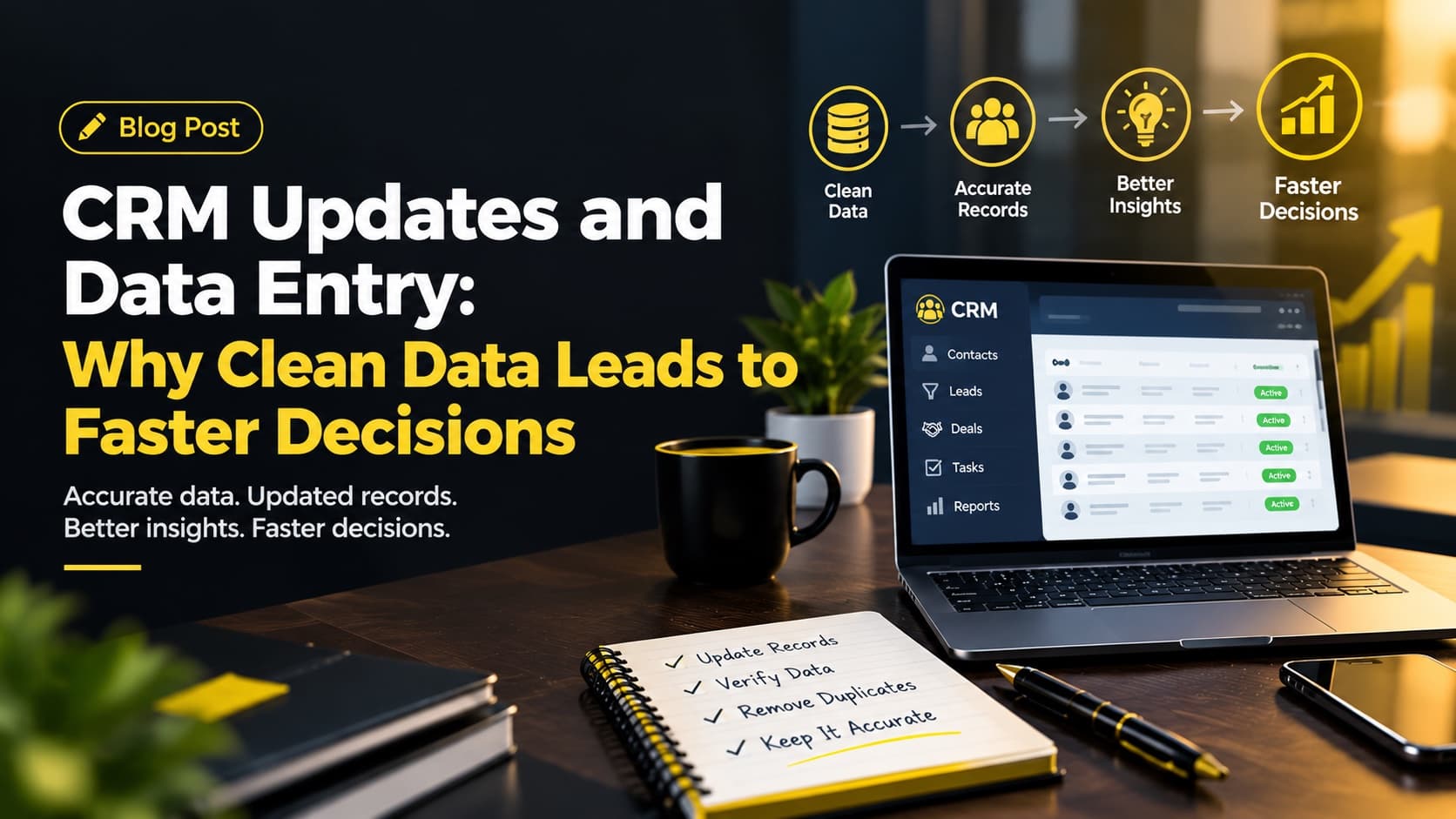
Think of your CRM as a chain with four links:
- Data entry captures the facts about a person or company.
- CRM updates keep those facts current.
- Reports and dashboards turn the records into numbers such as pipeline value, response times and churn risk.
- Decisions rely on those numbers: where to hire, what to forecast, which accounts to call first.
If the first or second link is weak, the third and fourth inherit the weakness. A dashboard cannot be more accurate than the records behind it.
What Clean CRM Data Actually Means
Clean CRM data is not perfect data. It is data that meets five practical tests, and you can measure each one.
Accurate
The information matches reality: the right phone number, the right job title, the right deal value.
Complete
The fields your team needs for decisions are filled in, such as owner, lead source, industry and email.
Consistent
The same thing is recorded the same way every time ("United States," not "US," "U.S." and "USA" in three different records).
Unique
Each person or company exists once, not four times.
Timely
Records reflect what happened this week, not last quarter.
Why Dirty CRM Data Slows Every Decision
Slow decisions rarely come from slow people. They come from uncertainty. When data is unreliable, every answer needs a second opinion, and every second opinion needs a meeting.
The scale of the problem is well documented. Gartner estimates that poor data quality costs organizations an average of $12.9 million a year (Gartner, 2021). That figure covers enterprise data in general, not CRM records alone, but the mechanics are the same on a smaller scale: wasted effort, missed opportunities and decisions made on shaky numbers.
Duplicate Records Split the Truth
One customer appears as "Harper Supply Co.," "Harper Supply Company" and "H. Supply." Notes are scattered across all three. Two salespeople contact the same lead without knowing it. A report counts one customer as three accounts and overstates the customer base.
Picture a business with 4,000 contacts where an audit finds that 18 percent are duplicates. That is 720 records competing with the real ones, each with a partial history. (This is an illustrative scenario, not a client result; the real case study appears later in this guide.)
Outdated Records Send Teams in the Wrong Direction
A contact who left their company six months ago is still listed as your champion. A deal marked "negotiation" died in July. Outdated records make a team confident about things that are no longer true, and confident-but-wrong is worse than uncertain.
Missing Fields Make Reports Unreliable
If "industry" is blank on 40 percent of accounts, a report on your best customer segments is a guess. Teams either decide without evidence or pause while someone fills the gaps by hand.
Inconsistent Entry Breaks Search and Segmentation
When one person types "Chicago" and another types "CHI," filtering by city misses half the list. Free-text fields that should be dropdowns, mixed date formats and job titles written five ways make segmentation unreliable.
The Hidden Cost: Time Spent Verifying
Every report gets double-checked, and every forecast gets debated. Teams start keeping their own spreadsheets because they don't trust the CRM, which creates a second set of records that drifts further from the truth. If your managers regularly say "let me check that and get back to you," your data quality is already costing you speed. Repetitive manual admin like this is also one of the hidden overhead costs most businesses overlook.
How Each Data Problem Slows a Decision
| Data problem | Decision it slows | Practical fix |
|---|---|---|
| Duplicate records | Pipeline value, customer count | Monthly duplicate check, search-before-create rule |
| Outdated contacts | Outreach, renewals | Weekly review, bounce-rate tracking |
| Missing fields | Segmentation, forecasting | Required fields, validation rules |
| Inconsistent formats | Filtering, territory planning | Dropdowns, written standards |
| Unlogged activity | Retention, handovers | Daily logging habit |
Swipe the table to see all columns
How Clean CRM Data Speeds Up Decisions
Faster, More Credible Sales Forecasting
When deal stages, values and close dates are updated promptly, a pipeline report takes minutes to read and everyone in the room trusts it. Forecast meetings move from "is this number right?" to "what do we do about it?"
Quicker Follow-Up and Better Customer Experience
Accurate contact details and logged history mean any team member can pick up a thread without asking the customer to repeat themselves.
More Precise Marketing and Segmentation
Clean, consistent fields such as industry, location, purchase history and lead source let you build segments in a few clicks, and campaign results are easier to measure because contacts are not double-counted.
Clear Customer Retention Signals
A drop in contact frequency, an unresolved support issue or a stalled renewal only shows up if interactions are logged consistently. Clean data turns retention from a hunch into something you can see.
Smoother Handovers and Onboarding
When a salesperson changes territory or takes leave, well-kept records let a colleague take over without losing momentum.
CRM Data Entry Best Practices
Good CRM data entry is mostly a matter of agreeing on rules and applying them every time. These CRM data entry best practices work for businesses of almost any size and any platform, whether you use Salesforce, HubSpot, Zoho or Pipedrive.
Set Data Entry Standards Before You Need Them
Data entry standards are written rules for how information is recorded. One or two pages usually covers it. Here is a sample of what a standard looks like:
| Field | Rule | Example |
|---|---|---|
| Company name | Legal name, no abbreviations, "Co." not "Company" | Harper Supply Co. |
| Phone | Country code first, digits only | +1 312 555 0142 |
| Country | Dropdown only, full name | United States |
| Industry | Dropdown from a fixed list | Wholesale Distribution |
| Deal stage | Dropdown, one stage per deal | Proposal Sent |
| Next step | Required before a deal can advance | "Send revised quote by Fri" |
Swipe the table to see all columns
Beyond field rules, a good standard also names who owns each record type. Standards turn "I think this is right" into "this follows the rule," which makes errors easy to spot.
Capture Information at the Source
The best time to record information is while it is fresh: right after a call, meeting or email. A note written within the hour usually has the right detail, while a note written at the end of the week often has gaps. Where possible, connect web forms, email and calendar to the CRM so records populate automatically.
Use Validation to Prevent Errors
Validation rules stop bad data at the door, which is far cheaper than cleaning it afterward. In Salesforce, for example, validation rules check what users enter against the standards you set before the record can be saved. You can require a close reason when a deal is lost, or reject an email address without an "@." Most other CRMs offer required fields and format checks that do the same job.
Record the Why, Not Just the What
A deal stage change tells you what happened. A one-line note about why it happened ("budget approved, waiting on legal review") tells the next person what to do. Keep notes specific, factual and free of opinions you wouldn't want the customer to read.
CRM Updates Routine: How to Clean and Maintain CRM Data
CRM updates work best when they are small and frequent rather than large and rare. A quarterly "big clean-up" is painful, and by the time you finish, the data has already drifted. If you are wondering how to clean CRM data without a major project, this cadence is the answer.
CRM Update Cadence
Daily: Log as You Go
Record calls, meetings and emails against the correct contact or account, update deal stages and next steps, and create follow-up tasks with owners and dates. This takes a few minutes per person and prevents most of the backlog.
Weekly: Review Active Pipeline Records
Scan open deals for stale stages, overdue tasks and missing close dates. If a deal has not moved in a set number of days, either it needs a next step or it should be closed out honestly.
Monthly: Check for Duplicates and Gaps
Run a duplicate check and merge records carefully, keeping the most complete and recent information. Most CRMs help here. HubSpot, for instance, flags likely duplicate contacts and companies and lets you review and merge them in pairs or in bulk. Review key fields for blanks, and fix the pattern behind recurring gaps, not only the individual records.
Quarterly: Audit and Refresh
Sample a set of records and check them against reality. Remove contacts whose emails bounce, archive dormant accounts and revisit your standards. If the same errors keep appearing, the standard or the training needs adjusting.
Who Should Own CRM Data Quality?
Shared responsibility often means no responsibility. Name an owner, whether a sales operations lead, an administrator or a back-office team member, who is accountable for data quality. Individual users still enter their own data, but one person watches the whole and flags problems early. If that means adding capacity, a clear hiring plan keeps the role from sitting open for weeks.
Data Privacy and Retention in Your CRM
Clean data is also safer data. Holding outdated personal records creates risk as well as clutter, so retention belongs in your CRM routine.
- Honor opt-outs quickly. In the US, the FTC's CAN-SPAM guidance says you must honor an opt-out request within 10 business days, and the rule covers business-to-business email as well. A CRM where unsubscribe status is missing or out of date can put you in breach without anyone noticing.
- Record consent and source. A "lead source" and "consent" field tells you why you hold each contact and whether you can email them.
- Archive or delete stale records on a schedule you can explain, rather than keeping everything indefinitely.
This is general information, not legal advice. Check the rules that apply to your industry and the regions where your customers live.
Common CRM Data Entry Mistakes
Treating the CRM as a Reporting Chore
When people feel the CRM exists only so management can check on them, entries become minimal and late. Show the team what they get back: better lead lists, less repeated typing and clearer priorities.
Too Many Required Fields
A CRM with 60 required fields guarantees rushed, careless entries. Keep required fields to what actually informs a decision. If nobody has used a field in a report for six months, consider removing it.
No Training After Launch
Teams are usually trained once, at rollout. New hires then inherit habits, good and bad. A short refresher whenever standards change, and a clear onboarding guide for new starters, keeps entry consistent.
Ignoring Integrations
When the CRM is disconnected from email, billing or marketing tools, staff re-type information across systems, and every re-type is a chance for error. When you add or replace a tool, compare options on equal terms. Our vendor quote comparison checklist shows how, and our guide to how technology procurement reduces business costs explains how to avoid paying for tools you don't need.
Cleaning Data Once and Never Again
A one-time clean-up feels productive but fades quickly. Treat CRM data hygiene as a habit, not a project.
How to Measure CRM Data Quality
You don't need an elaborate analytics setup. A few simple indicators show how healthy your CRM is.
- Completeness rate: choose five to ten fields that matter for decisions and measure the percentage of records where they are filled in.
- Duplicate rate: duplicate records as a share of total records.
- Data freshness: how many active records were updated in the last 30, 60 or 90 days.
- Bounce and return rates: high email bounce rates or returned mail point directly to stale contact information.
- Decision speed: how long it takes to answer a basic question such as "how many qualified opportunities do we have in this segment?"
CRM Data Hygiene Checklist
Score one point for each "yes."
- Do we have a written data entry standard that new hires receive?
- Are key fields (owner, lead source, industry, email) filled in on at least 90 percent of records?
- Do we run a duplicate check at least monthly?
- Are deal stages and close dates reviewed every week?
- Do calls, meetings and emails get logged within a day?
- Are dropdowns used instead of free text for country, industry, lead source and stage?
- Does one named person own data quality?
- Do we track email bounce rates and act on opt-outs?
- Can we answer a basic pipeline question in minutes?
- Do we audit a sample of records against reality every quarter?
Scoring (a rule of thumb): 8 to 10 means your CRM data is in good shape. 5 to 7 means the basics are there but gaps are costing you time. Under 5 means start with the starting plan below.
Case Study: Improving CRM Data Quality for a Logistics & Shipping Company
- The client: A logistics and shipping business with 25 salespeople using Salesforce CRM.
- The starting point: The CRM held 12,000 contact records. An audit found an 18% duplicate rate and 32% of accounts missing an industry classification. The weekly pipeline review took 4 hours because managers manually verified sales figures and checked opportunity records before each meeting.
What we did
- Created a one-page data entry standard covering company naming conventions, contact formats and required fields.
- Merged duplicate records, starting with the top 200 shipping and freight accounts.
- Replaced free-text fields with dropdowns and added validation rules for key fields, including industry, account type and pipeline stage.
- Established daily activity logging, weekly pipeline scans and monthly duplicate checks.
The results after 90 days
- Duplicate rate: 18% to 4%, a reduction of 14 percentage points, or 77.8% relative to the starting rate.
- Key-field completeness: 68% to 95%, an improvement of 27 percentage points.
- Weekly pipeline review: 4 hours to 45 minutes, a saving of 3 hours and 15 minutes per week, or 81.25%.
When Your Team Needs Support With CRM Updates and Data Entry
Many small and mid-sized businesses know their CRM data needs attention but struggle to find the time. Sales teams are busy selling, managers are busy managing, and data upkeep slips to the bottom of the list. That is where structured back-office support helps.
Whether your own team keeps the CRM clean or you add back-office support, the principles stay the same: clear standards, small and frequent updates, a named owner and regular measurement.
At The Black Skull, CRM updates and data entry sit within our back-office support services, alongside administration, email management, scheduling and document organization. We work against agreed standards so your sales and operations people can focus on customers while your records stay trustworthy. To see what a broader setup includes, read our guide to what back-office support services include or see how back-office support helps a company grow.
Ready to speed up your decisions?
Book a consultation and we'll review your CRM data process and show you where cleaner records would save the most time.
A Simple Starting Plan
Pick one decision
Choose one you want to make faster, such as the weekly pipeline review or retention outreach.
Identify the fields
Work out which fields that decision depends on and check how complete and current they are.
Write a one-page data entry standard
Use the sample above as a starting template.
Merge obvious duplicates
Start with your most important accounts.
Schedule the routine
Daily logging, a weekly pipeline scan and a monthly duplicate check.
Review after 30 days
Has the pipeline meeting become shorter? Are fewer people asking whether the numbers are right?
Progress in one area builds trust, and trust builds the habit of using the CRM for everything.
Final Thoughts: Clean Data Is a Decision-Making Advantage
Clean data is not about tidiness for its own sake. It is about trust. When your team trusts the CRM, they use it, and when they use it, the records get better. That cycle makes forecasts steadier, follow-ups faster and customer conversations more informed.
Begin with one decision you want to speed up, set a few clear standards, and build small habits around entering and updating records. Over a few months, the difference shows up in the quietest place: fewer meetings spent arguing about numbers, and faster business decisions made with confidence.
Frequently Asked Questions
What is CRM data entry?
CRM data entry is the process of recording customer, prospect and deal information in a customer relationship management system. It includes contact details, company information, notes from conversations, deal stages and tasks. Done consistently, it gives your team a single, searchable record of every customer relationship.
How often should CRM data be updated?
Ideally, records are updated as interactions happen, so daily logging is the best habit. Add a weekly review of active deals, a monthly check for duplicates and gaps, and a quarterly audit. Frequent small updates are easier and more accurate than occasional large clean-ups.
How does clean CRM data lead to faster decisions?
Clean data removes the need to verify and debate numbers. When records are accurate, complete, consistent and current, reports can be trusted immediately, so leaders spend their time deciding what to do instead of questioning the data.
How do I clean CRM data?
Start with your most important accounts. Merge duplicates, fill in the key fields your decisions depend on, standardize formats with dropdowns, and remove contacts that bounce or have opted out. Then prevent the mess from returning with written standards, validation rules and a regular update routine.
What are the most common CRM data quality problems?
Duplicate records, outdated contact details, missing fields, inconsistent formats and incomplete notes. Each of these can distort reports and slow down follow-up, which is why standards and validation rules are worth setting early.
How do I remove duplicate records from my CRM?
Use your CRM's built-in duplicate detection if it has one. Review matches before merging, keep the most complete and recent information, and make sure notes and activity history carry over to the surviving record. Then prevent new duplicates with required fields, a search-before-create habit and clear naming conventions.
What should be included in CRM data entry standards?
Naming conventions, required fields, formats for phone numbers, dates and addresses, controlled dropdown values and clear ownership of each record type. Keep the document short enough that people will read it, and review it whenever your sales process changes.
Who is responsible for CRM data quality?
Every user is responsible for entering their own data accurately, but one named person, such as a sales operations lead or administrator, should own overall data quality and raise issues before they affect reporting.
Can small businesses benefit from CRM data hygiene?
Yes. Small businesses often benefit the most because each customer relationship matters more and there is less spare time to chase down information. Simple standards and short routines are enough to make a noticeable difference.
How do I know if my CRM data is clean enough?
Check completeness of key fields, duplicate rate, how recently active records were updated, bounce rates and how long it takes to answer a basic business question. If answers come in minutes and nobody argues about the numbers, your data is in good shape.
Can The Black Skull help with CRM updates and data entry?
Yes. CRM updates and data entry are part of our back-office support services, which also cover administration, email management, scheduling and document organization. Contact us to discuss your CRM.
Spending More Time Checking Data Than Using It?
CRM updates and data entry sit within our back-office support services, so your records stay trustworthy while your team focuses on customers.
Contact Us Today